|
NET SEND command
Sends messages to other computers, PC users, or messaging names on the computer network. The Messenger service should be running to receive net send messages.
User can send a message only to a name that is online on the network. If the message is sent to a specified username, that user must be logged on and running the Messenger service to receive the net send message.
First of all click "Start" button, choose "Run.." and enter "cmd" command. Black screen of cmd.exe will appear.
Netsend command syntax cmd looks like:
NET SEND {name | * | /DOMAIN[:name] | /USERS} message
| name |
Can be user name, PC name, or messaging name to send the message to. If the name is a computer name that contains blank characters, it need to be enclosed the alias in quotation marks (" "). |
| * |
Sends the message to all the names in your group. |
| /DOMAIN[:name] |
Sends the message to all the names in the workstation domain. If name is specified, the message is sent to all the names in the specified domain or workgroup. |
| /USERS |
Sends the message to all users connected to the server. |
| message |
Is text to be sent as a message. |
NET SEND examples
To send a message to another user:
NET SEND anna_81 See you soon, bye.
To send a lan message to another machine:
NET SEND PCW231 Let's go have a dinner.
To send a message to all users who have a session with the server:
NET SEND /USERS Shutdown all computers, please.
To send a broadcast message to the whole domain:
NET SEND * This server will shut down in 5 minutes.
Still using netsend commands to send messages?
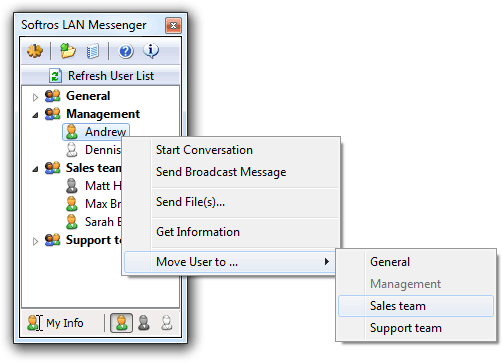
Are you using a net send commands for messaging still? Make it simple! Netsend Network Messenger is a secure LAN instant messaging and broadcast software for chat between PC users. It does not require an Internet or dedicated server and is very easy to install and use. The program correctly identifies all Windows user accounts and works in any TCP/IP network. Office network messaging is a simple, user-friendly net send replacement utility.
|